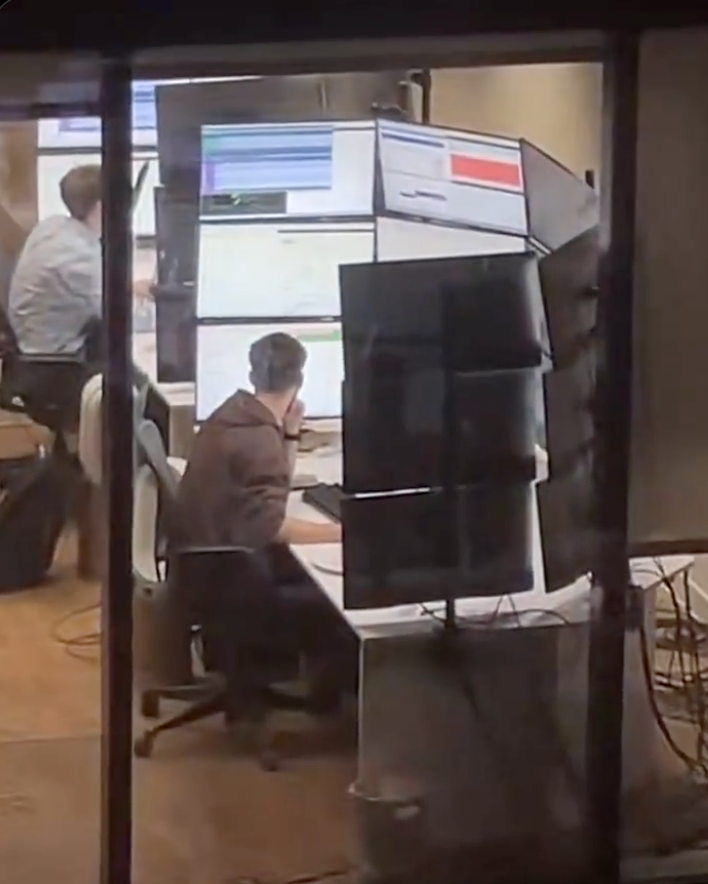
The cursor is on Monitor 3 (there is no monitor 3 but Windows thinks there is)
for real though, the CTRL tap accessibility feature to find the cursor is a lifesaver
I guess this confirms that I am a man, because I refuse to do anything except jiggle the mouse until I see it.
Am woman, learned today you can use CTRL to find it as I too wiggle it until I find it.
that’s what she said!
On KDE and on MacOS, if you shake the cursor it becomes larger
And larger…and larger…
No lying, wiggling my mouse until it becomes HUGE is my go to activity during boring video calls.
Try putting it on the speaker’s nose and jiggling.
Only in KDE, and i think now we can limit that in settings
Who wants a limit to that? Gimme fullscreen-cursor and name him Harry.
Tim apple i suppose
KDE shaky shaky
R/Wsb
Go to mouse l settings, make your cursor larger and change the contrast. So when the curse is black and it goes over something white and then white when it goes over black
And people rib me for having 3 screens. Yes yes, tell me how much cancer they are giving me per square second.
Cancer? From monitors? Is that a thing people believe? Do they think “the 5G comes from all them screens” ?
Literal doctors trying to convince me that monitors emit cancer causing radiation.
I had to explain to a doctor what ionizing radiation was… And that’s how I learned that doctors are just like every other profession. And there are just as many morons that graduated med school as morons that graduated high school (proportionately).
Wait what? They give cancer? Outgassing or something?
Outgassing
That would be me, sorry.
I have recently pared down to 4 screens and yeah, people take seem to get great enjoyment out of giving me shit. I’ve been receiving this very meme image for a good while. Not sure what triggered the re-run of this one in particular.
Where the fuck is the image? Not loading for me
Loads fine for me. It’s someone sitting in front of a desk with 15 large monitors surrounding them in a semicircle, 3 monitors stacked on top of one another in 5 columns.
Check monitor number 8, it may have opened there.
right-click and see where a menu opens.
What is this activity you call "looking for my cursor?
On my computer, I summon my cursor.
This ad is brought to you by the Cursor Follows Focus Gang
That’s why I no longer code in C#.
I’m confused… Cursor? Surely you control everything via keyboard?
ditch the rat

(Shamelessly stolen from this very community.)
There’s no way he ever looks at the top row.
this is why he can’t find his mouse.
Having worked with such setups before, yes the top row is used, infrequently but watched

This is a job for a tiling WM. Imagine doing this on Window$.
Fooled us all. That’s a tanning booth.