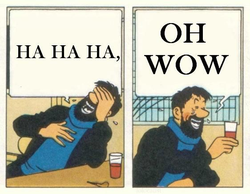
I’m rawdogging my Debian Unstable install
Arch noobs after destroying their system every month be like:
I will simply reinstall and forsake my files if it shits the bed catastrophically
I ran linux with ext2, no timeshift, and home on the root partition. Back then when I ran the machine on kernel 0.97.
How do you know about me.
I wouldn’t call every 2 years “constantly”
You update arch every 2 years?
ROFL Like, this was me on other distros just using ext4, no timeshift (made manual backups though, not as much as I should’ve). Now, I am understanding the hype with btrfs, Snapshots, as they have saved my ass so much. Using Garuda Linux, BTW! Sometimes a machine doesn’t matter so much so…I lived life dangerously, and paid for a particularly low cost for it.
Snapper is sooooo nice 🤩.
Ridiculously easy to use and quickly get back into a working system! I used it first with openSUSE Tumbleweed, now I use and found it to be excellent.
I was one of them few years ago…
Me with arch: what is timeshift? Time to updstr without backup, lol!
meh, just backup home.
Been there, done that
dies
“Welp, time to distrohop.”
This is me!
I remember daily driving Gentoo unstable in the early 2000’s on my rig in college. It was like trying to beat a Dark Souls boss every time I wanted to do an update.
In one of my university java courses, another student was frequently compiling Gentoo packages on his laptop during class.
Once I researched more about it I also installed Gentoo on my laptop and started building updates during class 😁
i mean, all the important stuff is saved to OneDrive, right?
Yes, but actually no.
I actually did this at one point, because OneDrive was the cheapest cloud service I had easy access to, back then. I did use only an encrypted vault, though.
OneDrive used to be pretty good on Windows before it started taking the documents folder hostage. Maybe needless to say I’ve never attempted to use it on any of my Linux installs
All my important stuff is saved to SomeDrive
You missed the space between one and drive… and you accidentally capitalized a couple letters.
Don’t correct me on this one. Please.
Straight to jail.