In corporate environment, add Crowdstrike, Zscaler, windows instrumentation, and then some digital experience management solution to report on why apps are so slow, battery life is still only a few hours while it heats the room while sitting ‘idle’, or trying to render a file explorer window with 20 cores and 32 GB of RAM. Did I mention there are updates and you MUST REBOOT NOW, forget that you are presenting to a client.
Almost as offensive as Dell laptop keyboards on their corpo laptops. Ugh.
Sounds like your IT doesn’t know how to properly orchestrate updates.
Best way to do it in a Windows enterprise environment that I’ve seen so far:
1 Week: Install in the background silently and finish when the machine reboots.
After the week, 2 Days: Warn once that the machine will automatically reboot in 48 hours.
12 hours before forced reboot: Pop up a warning in the corner with the countdown before reboot. Options are reboot now or warn me again in X hours. If you dismiss it without selecting, it pops up again in an hour.
If your Windows machine hasn’t rebooted in a week and a half, of course you’re going to have performance issues. What, you expect devs to avoid memory leaks?
That all said, the amount of Windows sysadmins who haven’t entirely given up on wrestling Microsoft’s update bullshittery is shrinking every day.


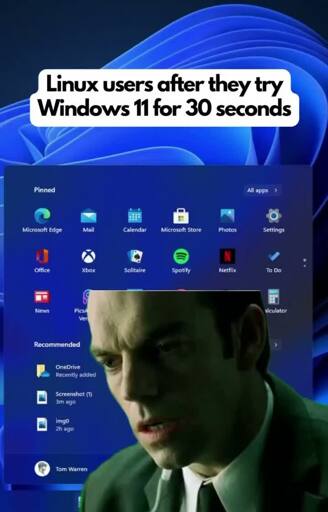
In corporate environment, add Crowdstrike, Zscaler, windows instrumentation, and then some digital experience management solution to report on why apps are so slow, battery life is still only a few hours while it heats the room while sitting ‘idle’, or trying to render a file explorer window with 20 cores and 32 GB of RAM. Did I mention there are updates and you MUST REBOOT NOW, forget that you are presenting to a client.
Almost as offensive as Dell laptop keyboards on their corpo laptops. Ugh.
Sounds like your IT doesn’t know how to properly orchestrate updates.
Best way to do it in a Windows enterprise environment that I’ve seen so far:
If your Windows machine hasn’t rebooted in a week and a half, of course you’re going to have performance issues. What, you expect devs to avoid memory leaks?
That all said, the amount of Windows sysadmins who haven’t entirely given up on wrestling Microsoft’s update bullshittery is shrinking every day.