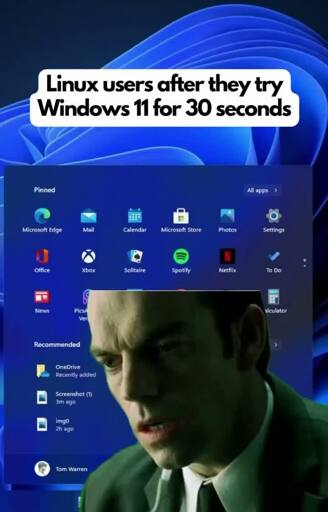
Don’t worry, they’ll release Windows 12 / Aion, which is basically Edge + Copilot OS. Can’t wait for that to be released.
It’s funny because he’s regarded
If we can’t say “retarded” then we also can’t use the word “idiot”. Nobody cares if you say idiot, therefore retarded is also ok.
Idiot isn’t used a slur anymore, you pistachio
I am so pleased i got out of IT at the peak of Windows 7. I have seen all i want to see about 10 and 11. Hard pass from me.
i never really even got in, now i dont even want to anymore
It’s gotten to the stage (on the same hardware) where my Linux OS runs amazing, audio is perfect, and the nVidia drivers work great… And so do the Windows games via Proton; while my Windows11 OS keeps getting buggier and the NVidia driver displays windows dialogs with garbled text or black zigzags inside dialogs.
I just recently had to roll my Nvidia drives back (on Linux) because Marvel Rivals and other games just would not work/stuttered like crazy. Glad I have the option, but annoyed I had to do it in the first place.
eww marvel rivals, those drivers are trying to do you a favor
:^( I like simple shooters. Gives the happy chemicals
like saying league of legends can be fun
sure the gameplay can be fun, the issue is the player base
but i guess if you don’t find players toxic and over all it is a positive experience nm my criticism
That’s fair. I’ve found the reporting to be quite good though so I have that for a consultation at least lol
I was so confused, took me a moment to realise you meant consolation haha.
There’s literally only one application I still need Windows for: EAC (Exact Audio Copy).
Everything else has a (often better) Linux alternative/version, runs in WINE or Proton, or can be used just fine in a virtual machine.
Doesn’t it work under Wine too now?
It may, but I wouldn’t trust running it that way.
That means trusting Windows instead…
A good pdf editor is what I’m still looking to replace withiht having to deal with Wine. If PDFxchange made a proper Linux port, I’d buy a new license and migrate from windows.
Onenote is something id like a better replacement to because I hate it, but I haven’t found a replacement despite trying several of the options. PDFxchange could be my replacement for that though if it was ported.
I am looking for a PDF editor which has support for digital signature. There are some which perform add a gpg signature, but clients want to see the green tick that Adobe provides. That’s why I have a internet-less Windows 7 VM having only Adobe Reader and Filezilla.
Have you tried using LibreOffice Draw? It works pretty well for editing PDFs. Just make sure you have all of the fonts that the PDF uses before opening it.
I have. I forget why I didn’t care for it, but I’ve tried a couple times.
I use Trilium Notes as my OneNote replacement at home. I don’t use it religiously, but it’s helpful for basic stuff and seems pretty feature rich if you need that.
I primarily use it with a drawing tablet to annotate PDFs during meetings. I’ve been shifting towards just directly using PDFxchange for the purpose though since it makes it easier to send after meetings and I can directly edit the pdf still. It just pops up with annotation bubbles when trying to draw on top off existing drawings, so that’s an annoyance.
You could try rnote and xournalpp for PDF annotation. It works pretty well in my expeience for handwriting. I’d reccommend rnote over xournalpp since it can directly save to pdf (iirc), and you can also have an infinite canvas, so it would also be a good OneNote replacement in that department. For popup notes, inline text and stuff, okular from KDE works pretty well for me, but I have also heard good things about the GNOME pdf viewer (UI wise). Haven’t used the GNOME pdf viewer though, so can’t attest to features.
Whipper is supposed to be (almost) as paranoid as EAC? Its been years, so my memory might be faulty.
I’ve been looking into this myself recently. EAC still seems to be the top option (followed by CUERipper/CUETools). CUETools itself runs under WINE, but CUERipper doesn’t (at least for me). Haven’t tried EAC on WINE yet.
https://wiki.hydrogenaudio.org/index.php?title=Comparison_of_CD_rippers
Finally got around to testing out EAC on WINE (prompted by my previous comment a few hours ago).
It seems to work without major issues on WINE 11 in a 32-bit prefix (at least on LMDE 7). Plugins need dotnet20 and dotnet48 installed, otherwise only the in-built AccurateRip meta engine shows up. I’ve only tested ripping to WAVE and FLAC, though.
In short, I’d say it’s worth a try now.
Are the rips and logs identical to Windows on the same machine?
Ironically I wasn’t able to get EAC working on my Windows 10 installation due to the WinFSP clash, whilst CUERipper errors out on WINE (something to do with how it interacts with the ODD).
However, CUETools works fine and so I was able to compare the same CD ripped by CUETools/CUERipper on Windows with EAC under WINE. I used an ABBA CD as the test case (100+ matches in CTDB, 10+ in AccurateRip).
The CUE sheets are functionally identical (barring the differences in extra metadata stored between the two, as CUERipper included the IRSC where EAC has a Composer comment instead) – the gaps and indices are all the same. The raw rip itself is also identical - I ripped the CD to a disc image (with offset correction in both cases) and the md5 checksum of the WAV file from both applications is the same.
In both tools the rip validated against AccurateRip and CUETools DB as well. I double-checked the EAC rip afterwards using CUETools (again under WINE), as a further test.
great info
thank you
I just use K3B to rip audio CDs. In particularly tricky places, I use cdparanoia and the FLAC encoder on command line. MusicBrainz Picard to fix the metadata. ffmpeg on command line to convert the FLAC albums to MP3 or other formats.
Have you tried ABCDE? It’s cli, but once you get used to it, it’s perfect for ripping AudioCDs in bulk.
The best joke is when you install Edge on your friends Linux computer when they are not looking and they lose their shit. Like a war vet when fireworks go off.
People still out here not locking their screens?
Installing programs without needing a password?
User level stuff wouldn’t ordinarily need a password
I don’t just automatically lock my screen unless there age little people around.
I lock my screen when I’m home alone.
Only reason I don’t is when my computer falls asleep the only way to wake it recently has been to reboot (pop OS)
Nvidia GPU? I have a similar problem on Bazzite, though mine never seems to enter proper suspend (fan lights still on etc.)
Yeah, looks like the latest dist upgrade actually fixed it for me. That or I just got lucky.
I haven’t worked in the office in ages but I was good about hitting Windows + L to lock when I got up.
Gotta teach em to lock their rig when they’re not using it somehow.
Though I’m still a fan of the ‘take a screen shot of the desktop and then remove the actual dekstop’ approach.
… hrm… it probably wouldn’t be that hard to make a version of ‘hollywood’ thats augmented by something like a cron job that just checks to see if its open or not, and reopens it if it isnt.
… the matrix has you …
Is there a loops app on f-droid yet?
Not yet
This isn’t even a joke or hyperbolic.
Me at work every frickin day
Me too, fam :(
5pm signals the end of my working day serving capitalism, but also i can go back to using FOSS
Double relief
Besides solidworks, there isn’t anything I do that requires mf’ing windows. I could spin up a vm for solidworks. I hate it.
same. but no solidwork. Just oracle databases being migrated into MS fabric.
fuck, we hate oracle’s frying pan, so let’s jump into the nearest (slightly cheaper) fire.
Could be worse. This summer IT replaced all of our desktop mini PCs with Chromeboxes and ChromeOS. I don’t even have privileges. Any software I would want to install would have to come from google play store and requires admin level privileges. I normally download the desktop app to play Spotify on my computer, but can’t even do that. I can’t even change the fucking desktop background. The ONLY software freedom I have is chrome extensions and even that is a walled garden of Google’s making. Manifest v3 is going to make using my desktop nearly impossible compared to the freedom I have at home.
Honestly they could probably just take the damn thing out of my office at this point. I really only use it for documentation or continuing education so I could just use my personal laptop or go back to pen and paper for that. Anything else I would have done in my downtime at work can just wait until I get home.
they*
Also, me trying to use a mac.
I’m a lifelong Windows user. I was using DOS and Windows 3.1 back in the 90’s. I learned how to set up and manage windows servers in college. I manage an active directory domain at work.
I did not like Windows 8 or 10. I think removing the start menu was stupid. Changing the right-click context menu was even more stupid. It seems every iteration of Windows up until Windows 7 focused on adding new features and improving the UI, where as every iteration after has stripped features away and made the UI worse.
Windows 11 was the last straw. I built a new PC earlier this year and run Nobara Linux on it. It’s not perfect, but it’s been fantastic and it works much better than Windows 10 or 11. Thanks to AI chatbots like Gemini I’ve been able to get help when it comes to learning terminal commands and configuring my OS just the way I want it. It plays all my games from Steam, GOG, itch.io, and even my ROM library. I’ve even been able to install Amethyst mod manager to install mods for Elder Scrolls Oblivion, which has been great fun. Amethyst also supports other Bethesda titles like Skyrim, Fallout, and Starfield. I’m very happy with it. It feels like I haven’t had to sacrifice anything. All my games work, but now I have total control over my UI, when my OS installs updates, and I have privacy again. No tracking BS reporting back to Microsoft.
Also at work we used to have over a thousand windows workstations. We’ve been switching our users over to chromebooks and now there are less than 100 windows workstations in our domain. Microsoft has lost me as a home customer, and over 90% of our business customers. I think they’ve shot themselves in the foot because I don’t see how cloud computing is going to carry them for much longer. I think almost half of microsoft’s cloud runs office 365 and onedrive, which home and office users don’t actually need. Libre Office exists and people can use dropbox instead, if they even need it. Many people can just use a USB drive like the old days. Microsoft Azure makes up just over half of microsoft’s cloud infrastructure, and a significant portion of their azure market is running AI clusters. I do think there is an AI bubble, and that won’t continue for long either.
I think Microsoft is going to have a comeuppance, and it will be well deserved. They brought this upon themselves.
I mean, my first 30 seconds of experiencing Windows 11 was watching a coworker wait for the file manager to open + render its toolbar, so I don’t think I could’ve really come to a different conclusion…
It’s the smell!
This smelly smell…
Idk why but I can’t play the loops video