Not RTFM territory at all! ☺️
The manual is honestly one of Nix’s weaker points.
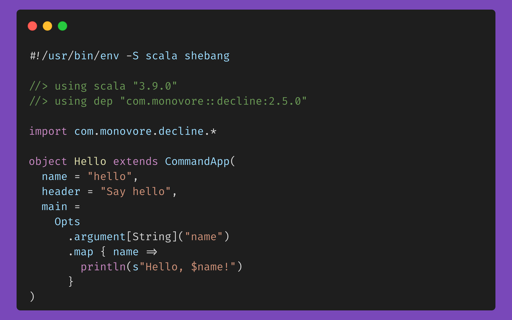
No generator, I wrote those by hand. The multi-line one looks scarier than normal usage though. 95% of the time the whole thing is one line: #! nixshellnixpkgs#ripgrepnixpkgs#jq--commandbash. The two ugly bits in my examples both come from a command. The commit hash is nix flake metadata github:NixOS/nixpkgs/nixos-unstable --json | jq -r .locked.rev. The sha256 for the jar I got the lazy way: put a fake hash in, run it, and Nix fails with “specified X, got Y”. Paste Y in. Everybody does it that way and though it can be considered “hacky” you only have to do that dance once when you declare or want to update it to the latest hash.
For anything bigger than a script you don’t write hashes at all. You write a flake.nix that says “nixpkgs, unstable branch” and Nix generates a flake.lock with the exact commit and hashes, same idea as Cargo.lock or package-lock.json.
Yes, and this is the thing Nix is best at. One naming trap first: for “current stable release of the language” you want the nixos-unstable branch. “Unstable” means the package set rolls forward, not that the packages are betas. It has whatever the latest stable Go/Rust/GHC/etc is, usually within days, and it only advances after the test suite passes. The “stable” branches (nixos-26.05 and so on) freeze versions for six months, which is what you want for a server and usually not for a dev box.
A dev environment is a flake.nix in the repo root:
{
  inputs.nixpkgs.url = "github:NixOS/nixpkgs/nixos-unstable";

  outputs = { self, nixpkgs }:
    let
      systems = [ "x86_64-linux" "aarch64-linux" "x86_64-darwin" "aarch64-darwin" ];
      forAllSystems = f: nixpkgs.lib.genAttrs systems (system: f nixpkgs.legacyPackages.${system});
    in
    {
      devShells = forAllSystems (pkgs: {
        default = pkgs.mkShell {
          packages = [
            pkgs.go
            pkgs.gopls
            pkgs.ripgrep
          ];
        };
      });
    };
}
nix develop drops you into a shell with exactly those. First run writes flake.lock, you commit it, and everyone who clones the repo gets identical versions without having to download a bloated Docker image (instead running those dependencies natively in Nix’s sandbox). Updating is nix flake update and then commit the lock. Nothing moves until you run that, so you update when you choose to and if something breaks you git checkout flake.lock and you’re back. If you want it automated there’s a GitHub action (DeterminateSystems/update-flake-lock) that opens a PR with the bumped lock on a schedule, and Renovate handles flake.lock too.
Add direnv + nix-direnv and the shell loads on cd into the project, so you never type nix develop again. That’s the point where it stops feeling like extra work.
For personal tools like nvim and ripgrep that you want everywhere and not per project: quick way is nixprofileinstallnixpkgs#neovimnixpkgs#ripgrep and later nix profile upgrade --all. The idiomatic way is home-manager, where your tool list and dotfiles live in one flake in a git repo and a new machine is a clone plus one command. I’d start with the profile commands and a devShell in one project, and only look at home-manager once you’re sure you like it.
One caveat: for Rust, if you need an exact toolchain version or nightly, nixpkgs only carries current stable, so people use fenix or rust-overlay as a second flake input to declare specific builds in the closure. Most other languages just have versioned attributes like pkgs.python312 or pkgs.jdk21.


No problem. Thanks for being friendly!
Not RTFM territory at all! ☺️ The manual is honestly one of Nix’s weaker points.
#! nix shell nixpkgs#ripgrep nixpkgs#jq --command bash. The two ugly bits in my examples both come from a command. The commit hash isnix flake metadata github:NixOS/nixpkgs/nixos-unstable --json | jq -r .locked.rev. The sha256 for the jar I got the lazy way: put a fake hash in, run it, and Nix fails with “specified X, got Y”. Paste Y in. Everybody does it that way and though it can be considered “hacky” you only have to do that dance once when you declare or want to update it to the latest hash.For anything bigger than a script you don’t write hashes at all. You write a flake.nix that says “nixpkgs, unstable branch” and Nix generates a flake.lock with the exact commit and hashes, same idea as Cargo.lock or package-lock.json.
nixos-unstablebranch. “Unstable” means the package set rolls forward, not that the packages are betas. It has whatever the latest stable Go/Rust/GHC/etc is, usually within days, and it only advances after the test suite passes. The “stable” branches (nixos-26.05and so on) freeze versions for six months, which is what you want for a server and usually not for a dev box.A dev environment is a flake.nix in the repo root:
nix developdrops you into a shell with exactly those. First run writes flake.lock, you commit it, and everyone who clones the repo gets identical versions without having to download a bloated Docker image (instead running those dependencies natively in Nix’s sandbox). Updating isnix flake updateand then commit the lock. Nothing moves until you run that, so you update when you choose to and if something breaks yougit checkout flake.lockand you’re back. If you want it automated there’s a GitHub action (DeterminateSystems/update-flake-lock) that opens a PR with the bumped lock on a schedule, and Renovate handles flake.lock too.Add direnv + nix-direnv and the shell loads on
cdinto the project, so you never typenix developagain. That’s the point where it stops feeling like extra work.For personal tools like nvim and ripgrep that you want everywhere and not per project: quick way is
nix profile install nixpkgs#neovim nixpkgs#ripgrepand laternix profile upgrade --all. The idiomatic way is home-manager, where your tool list and dotfiles live in one flake in a git repo and a new machine is a clone plus one command. I’d start with the profile commands and a devShell in one project, and only look at home-manager once you’re sure you like it.One caveat: for Rust, if you need an exact toolchain version or nightly, nixpkgs only carries current stable, so people use fenix or rust-overlay as a second flake input to declare specific builds in the closure. Most other languages just have versioned attributes like
pkgs.python312orpkgs.jdk21.