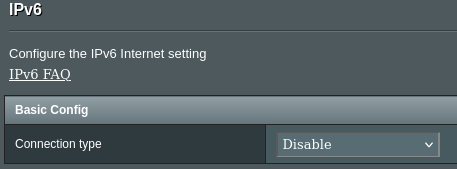
except for nor using it at all, of course.
So I want to make my homelab IPv6 ready, because I have too much free time, i guess. There are two decisions that I’m currently unsure about:
- ULA or not. Do you have local only addresses or do your clients communicate using the global IPv6 address? Does not using ULAs work without a static IP from the ISP?
- DHCPv6 or is SLAAC enough?
For each question both options seem to be possible and I’m interested in your experience
Cheers
You must log in or # to comment.
Disabled. IPv6 is slow af whenever I have it on. As soon as I disable it, my bandwidth goes full speed.
I’m not sure what they were thinking with that technology but it’s dead in the water and we need to find a better protocol. It’s also terribly difficult to memorize. The numbering scheme is worse than the Xbox naming scheme.
Haha this is bait right?
Just static IP, since I have a static subnet delegated by my provider, on a shitty cable modem.
Acronyms, initialisms, abbreviations, contractions, and other phrases which expand to something larger, that I’ve seen in this thread:
Fewer Letters More Letters DHCP Dynamic Host Configuration Protocol, automates assignment of IPs when connecting to a network DNS Domain Name Service/System IP Internet Protocol NAT Network Address Translation VPS Virtual Private Server (opposed to shared hosting)
5 acronyms in this thread; the most compressed thread commented on today has 8 acronyms.
[Thread #284 for this comm, first seen 11th May 2026, 19:20] [FAQ] [Full list] [Contact] [Source code]
Hey bot, you missed ULA, ICMP, and SLAAC
Edit; and ISP
Happy to take definitions and plug them into the database, if you have them to hand. If not, I’ll put aside a few minutes this weekend to look them up.
ULA = Unique Local Address, non routable address scheme in IPv6 for use in local networks
SLAAC = Stateless Address Autoconfiguration, a process in IPv6 that allows a host to assign itself an unique IP by listening to other traffic to determine the network ID and then creating the host ID
ICMP = Internet Control Message Protocol, these a specific messages that allow for higher coordination and control rather that data exchange, like ping or dhcp.
ISP = Internet Service Provider, the company that provides your internet acccess like Comcast, Google Fiber, AT&T, etc.
I have that conf:
/etc/sysctl.d/01-ipv6.confnet.ipv6.conf.all.disable_ipv6 = 1 net.ipv6.conf.default.disable_ipv6 = 1 net.ipv6.conf.lo.disable_ipv6 = 1But that falls under your exception.
I mean, you can get rid of NAT and subnet your systems in a logical fashion. That’s pretty awesome.
You can subnet logically with IPv4.
If you go IPv6 on the internal network you ‘win’ not having NAT, and exposing all your intrrnal services to the net (which… just why?), but lose the ability to do redundant ISPs/failover/loadbalancing, policy based routing, VPNs… Unless you do IPv6 address translation. Which puts you back to “IPv4+NAT, except more complicated.”
IPv6 inside the firewall is more or less entirely pointless.
I use global addresses for everything. ULA is the equivalent of the private networks like 10.0.0.0/8 on IPv4. It doesn’t need a static IP. ULA will work without any internet connection. If you run an IPv6 only network, it would be a good idea to set up ULA so you can access your local devices if the internet goes down.
I only use SLAAC on my network because DHCPv6 is not well supported. My router does use DHCPv6 to get a prefix from the ISP though.
set up ULA so you can access your local devices if the internet goes down
your router should retain its address even if the external connection goes down.
DHCPv6 is not well supported
Androids get SLAAC, everybody else can have a nice, readable, stable, firewall-openable suffix.
Until very recently, I exclusively used the /56 prefix I get from my ISP exclusively. This is still relatively annoying in my case as this prefix changes at least daily for some reason. Clients get their IP via SLAAC.
I’ve added ULA literally less than a week ago as I have a local reverse proxy I want to handle both local and external request, in both v6 and v4. Obviously more hosts should be accessible from local clients. But I can’t tell local clients apart except by IP, and since the prefix is unstable this would require some sort of hook to update the proxy with that new prefix (might be possible, but seems like a real hassle). So here we are.
I don’t use IPv6 on my lab. They been screaming to the bleachers since like 2010 that IPv6 is right around the corner due to lack of addresses, and I’ve still seen no real reason to want to adopt for it.
My current provider doesn’t even support it… so why should I?
My current provider doesn’t even support it…
In what kind of godforsaken backwater do ISPs that don’t support IPv6 still exist!?
The largest of the 3 carriers in Canada.
Bell.
Does not support ipv6.
I didn’t know that Canada was basically Mordor…
There are a few ISPs in North America that support ipv6, but many many don’t. As much as I detest the recent push toward “5G Internet to the Home”, it at least does increase adoption of IPv6 since (from what I understand) basically all mobile carriers are v6-only and do CGNAT for v4 support.
I don’t know if that translates to the 5G-at-home offering but it wouldn’t surprise me since most customers don’t care what address scheme is being used as long as Netflix works.
T-Mobile doesn’t even have CGNAT, it’s single-stack IPv6. IPv4 gets routed via NAT64.
Yea that was similar to my response when I figured I would look into it a few years back. No ipv6 and no ip address rotation unless its offline for more than 24h, which makes thing simple
Switzerland, we have the best and worst of both worlds. 25GBit Fiber home connections for less than 100 USD per month and ISPs that only support IPv4.
Which fiber provider doesn’t support IPv6? I thought it was only Swisscom mobile and its subsidiary’s which don’t support it (though from what I heard, even that is in testing now)
Small former Gemeinschaftsanntenne in my town and surrounding villages, I don’t wanna dox myself so can’t tell you the name. They probably have anywhere between 10-20k customers only. But afaik they are just one of many IPv4 only ISPs in Switzerland.
Small former Gemeinschaftsanntenne in my town and surrounding villages,
Ah, I see, that really does sound like a few places I know in Graubünden that wouldn’t be all too unfair to call “godforsaken backwater” (when it comes to the internet), despite all their charm. 😉
In fact when I was in college taking classes on IPv6 we were told it would be everywhere next year.
This was 1994. Lol
Personally I don’t like it because it’s too overengineered for me. They should have added 2 bytes to IPv4 and called it a day. That means we would have had the address space of 65536 internets. Really plenty. IPv6 has too much space.
I have been ipv6 only for a few years due to my ISP and it made a few ipv4-only people very angry when they couldn’t access my websites
Don’t use ULA, those are non internet routable addresses so they will never use v6 for internet things. Use the range assigned from your ISP.
SLAAC. Because Android has one ass of a dev who refuses to include DHCPv6You can use both at the same time and it is useful to have ULA if your ISP changes your assigned prefix.
This is what I do. I haven’t seen a reason to change it as of yet.
IPv6 is disabled at the firewall. I’m just not in a hurry to redo my network.
Personal opinion, IPv6 has been on the table so long it’s no longer something I think about. 20 years ago I thought it was going to be amazing.
I can’t get IPv6 in any worthwhile form from my ISP. IMHO IPv6 isn’t any more useful than IPv4 if you only have ULA. And NAT is not as well supported since it wasn’t intended to even be really necessary for example. So even if you are starting from scratch or just using it internally, there are some disadvantages to implementing it over just sticking with IPv6. But if your ISP actually provides IPv6 it might be worth it as long as your devices all support it. But otherwise you’re going to need to set up IPv4 in addition, anyway, so you’re just going to create problems for no good reason, IMHO.
Dual stack setups are not an issue unless your router doesn’t support it or your ISP sucks.
But why bother if you get ULAs. It doesn’t enhance anything and adds complexity if you use NAT or other routing as you need to add rules for both IPv4 and IPv6. Most ISPs, in the US anyway, don’t offer true IPv6 only what was supposed to be transitional technology decades ago like 6rd. I hate to say anything good about Comcast, but it’s the single thing I miss from that they actually do. But having such limited upstream speeds on cable just isn’t reasonable for much of anything these days, but definitely not when self-hosting. 1-10Mbps up on Cable or most DSL just doesn’t cut it.
If you’re starting from scratch implementing IPv6 on your LAN might be worthwhile if you dont mind the limitations of or don’t require the transitional technologies on your LAN like NAT64 and the hit to performance from the translations/tunneling when accessing the internet doesn’t bother you (it sure annoyed the hell out of me every time I accessed a website, among other things).
But dual stack, seems like it’s not worthwhile. Just choose one or the other. Few software applications or modern hardware are going to have an issue with IPv6. But if you’re using both ULAs and IPv4 private addresses, it seems like a lot of extra hassle to write duplicate routing rules for everything.
Like I said: unless your ISP sucks. I don’t see the issue with dual stack and I don’t know why you’re bringing other transition mechanisms into this. Obviously they kinda suck. Dual stack really doesn’t have much of a downside or a performance hit unless your clients or DNS are doing something stupid. In which case you can still choose to configure a client to use one over the other. Many ISPs, especially outside the US, don’t have enough IPv4 address space and have to use CGNAT, in which case you’re much better off with a dual stack setup and a DNS config that prefers AAAA records, imho. IPv4 only leaves you with NAT, which sucks and IPv6 only isn’t feasible currently.
I live in spain so the main ISP is well provided with IPv4 blocks and have zero incentive to deploy IPv6 outside of mobile networks. So the IPv6 deployment here is like 3% and I don’t have access to it 🫠
Blocked by my ISP. So I have it all blocked.
Same here, my ISP is IPv4 only so I have it disabled on my router.
In the home/lab, I use public addresses with mostly SLAAC, but the host server has a static IP. I get A public /56 prefix via DHCPv6-PD from my ISP. There is a bit of a pain point if the prefix changes but it hasn’t happened since I moved here.
My ”production” setup is a bit more controversial. Since Hetzner charges extra for extra IPv6 subnets I simply created small /80 subnets for the VMs. While this does mean that SLAAC doesn’t work I can simply generate and assign static IPv6 IPs, same way as I do with IPv4. All generated from an ansible playbook that creates the VMs.
I have some ULA ranges as well, but it’s a bit of a special case as I only use it as internal IP ranges in a Kubernetes cluster. This is completely separated from the external network, with the cluster doing NAT to the node IPs anyway (even for IPv6), and all internal traffic being on an overlay network.
My ISP provides a /48 for IPv6 via prefix delegation so all internal machines that support it have a ULA and DHCPv6. I have disabled SLAAC . In docker I assign a /64 of that prefix to docker containers. The local addresses is what most of the internal network stuff is based on (DNS etc) rather than the globally accessible address. The PD addresses are only about going onto the internet.
SLAAC actually is just fine, I just didn’t really want to be exposing the manufacturer information of the addresses online so preferred DHCP, but either or both together works from OpenWRT prefix delegation.
My provider doesn’t provide IPv6, but I rented a server in a data center, bought a subnet, and tunneled it home via WireGuard. So the scheme is roughly: VPS (fd00:1::/64) <-> (fd00:1::/64) Home router (realv6/64) <-> Home network
Router configuration:
/etc/sysctl.d/10-ipv6-privacy.conf
net.ipv6.conf.all.use_tempaddr = 0
net.ipv6.conf.default.use_tempaddr = 0
net.ipv6.conf.all.forwarding = 1
net.ipv6.conf.default.forwarding = 1
/etc/radvd.conf
interface br0 {
    AdvSendAdvert on;
    MinRtrAdvInterval 3;
    MaxRtrAdvInterval 30;

    AdvManagedFlag on;      # M=1 → Address via DHCPv6
    AdvOtherConfigFlag on;  # O=1 → Additional options via DHCPv6

    # SLAAC is still possible for Android
    prefix realv6::/64 {
        AdvOnLink on;
        AdvAutonomous on;   # Allow SLAAC
    };

    RDNSS realv6::1 {
        AdvRDNSSLifetime 1800;
    };
    DNSSL home.lan {
        AdvDNSSLLifetime 1800;
    };
};
/etc/kea/kea-dhcp6.conf
{
  "Dhcp6": {
    "interfaces-config": {
      "interfaces": [ "br0" ]
    },

    "lease-database": {
      "type": "memfile",
      "persist": true,
      "lfc-interval": 86400,
      "name": "/var/lib/kea/dhcp6.leases"
    },

    "renew-timer": 21600,
    "rebind-timer": 43200,
    "preferred-lifetime": 43200,
    "valid-lifetime": 86400,

    "subnet6": [
      {
        "id": 1,
        "subnet": "realv6::/64",
        "interface": "br0",
        "pools": [
          { "pool": "realv6::1000 - realv6::ffff" }
        ],
        "option-data": [
          { "name": "dns-servers",   "data": "realv6::1" },
          { "name": "domain-search", "data": "home.lan" }
        ]
      }
    ],

    "loggers": [
      {
        "name": "kea-dhcp6",
        "output-options": [
          { "output": "stdout" }
        ],
        "severity": "WARN"
      }
    ]
  }
}
And of course, iptables is necessary. Something like: /etc/iptables/ip6tables.rules
# Generated by ip6tables-save v1.6.0 on Thu Sep  8 13:29:11 2016
*nat
:PREROUTING ACCEPT [0:0]
:INPUT ACCEPT [0:0]
:OUTPUT ACCEPT [0:0]
:POSTROUTING ACCEPT [0:0]
COMMIT

*filter
:INPUT DROP [0:0]
:FORWARD DROP [0:0]
:OUTPUT ACCEPT [0:0]
#BASE INPUT
-A INPUT -i eno1 -j DROP
-A OUTPUT -o eno1 -j DROP
-A INPUT -i lo -j ACCEPT
-A INPUT -i br0 -j ACCEPT
-A INPUT -p ipv6-icmp -j ACCEPT
-A INPUT -m state --state RELATED,ESTABLISHED -j ACCEPT
-A FORWARD -i eno1 -j DROP
-A FORWARD -i br0 -j ACCEPT
-A FORWARD -m state --state RELATED,ESTABLISHED -j ACCEPT
-A FORWARD -p ipv6-icmp -j ACCEPT
COMMIT